

Wendmark
Record a process once. Everyone else replays it as guidance: a teaching cursor glides to the next thing to click, a panel shows where they are, and the person clicks it themselves.
Why another one of these
Section titled “Why another one of these”Most onboarding tools are built to drive. They click, they fill, they submit — and the user ends up somewhere they do not know how they got to. Wendmark takes the opposite position, and it is not a preference but a constraint the codebase enforces.
Wendmark guides. It never acts.
No synthetic clicks. No setting values. No submitting forms. No navigating
on someone’s behalf. Overlays are pointer-events: none,
listeners are passive and capture-phase and never call
preventDefault. A step advances because the person did the
thing.
Nobody is ever stuck in a tour
The guidance sits beside your application rather than in front of it. Click something else, go to another page, ignore it — the app behaves exactly as it does without Wendmark.
It teaches rather than performs
Somebody who has been guided through refunding an order has refunded an order. They can do it again next week without the guidance.
What it never records
Section titled “What it never records”The recorder reads structure and the labels your own designers wrote — roles,
accessible names, test ids, selectors. It does not read anything anyone
types: not .value, not the text content of a field, not contenteditable,
not keystrokes. Password, email and payment fields get no special case,
because there is no case to make.
Three things hold that up, and all three are things that do not happen: the recorder never reaches for a value, a test fails if anything touches the value getter, and the schema rejects unknown keys server-side. There are no screenshots and no session replay — we turned those down on purpose.
The full trust model, including what it does not protect, is written down rather than summarised.
How it works
Section titled “How it works”Record
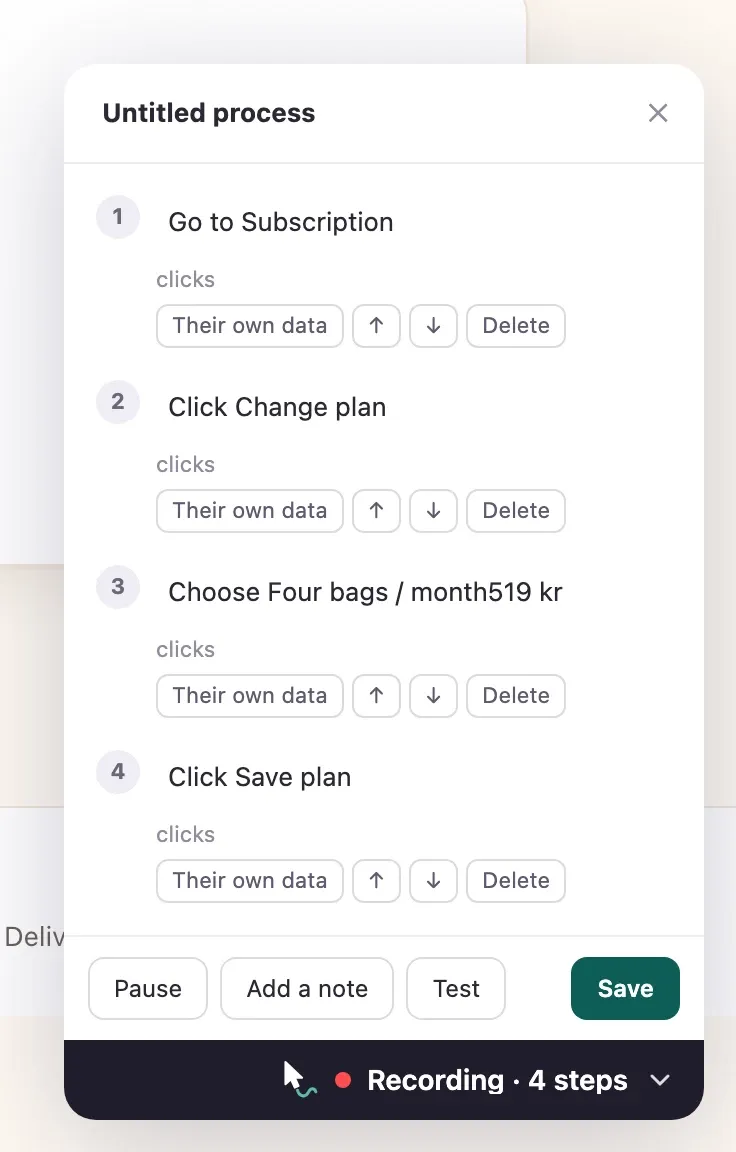
From the portal, open your own app and click through the process. Each click becomes a step in the recorder, worded from what you touched. Wendmark writes down what you clicked, never what you typed.
Edit and publish
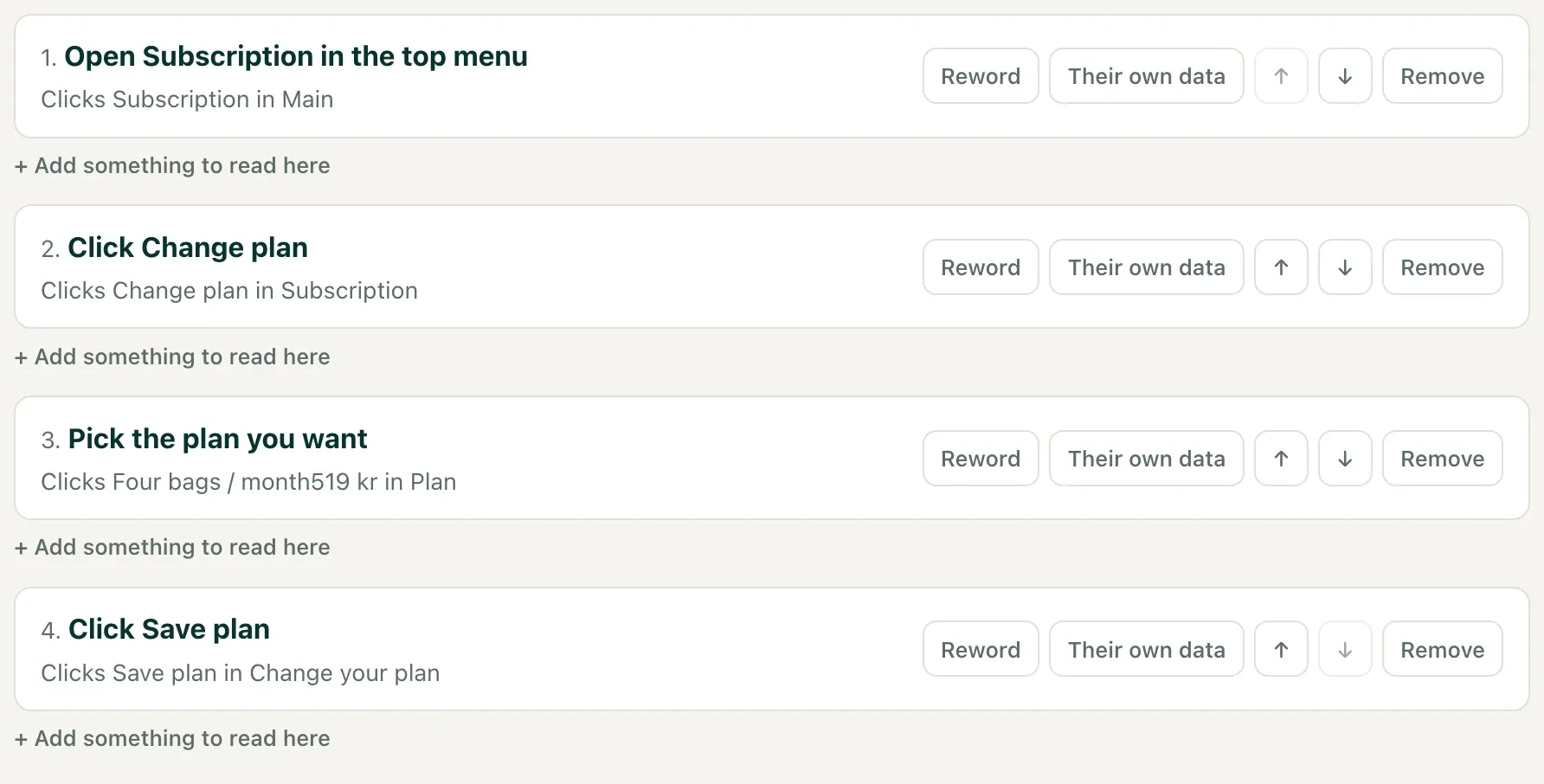
Reword each step in your own voice, reorder, drop the stray clicks, and mark the steps that point at your users’ own data. Publishing freezes a version: editing the draft afterwards never disturbs someone already mid-process.
Your users follow it
They find it under Show me how, as at the top of this
page, or your own help menu calls Wendmark.start(id). The
guide panel folds into a pill or drags aside whenever it is in the way.
When something goes wrong
Section titled “When something goes wrong”Let them show you
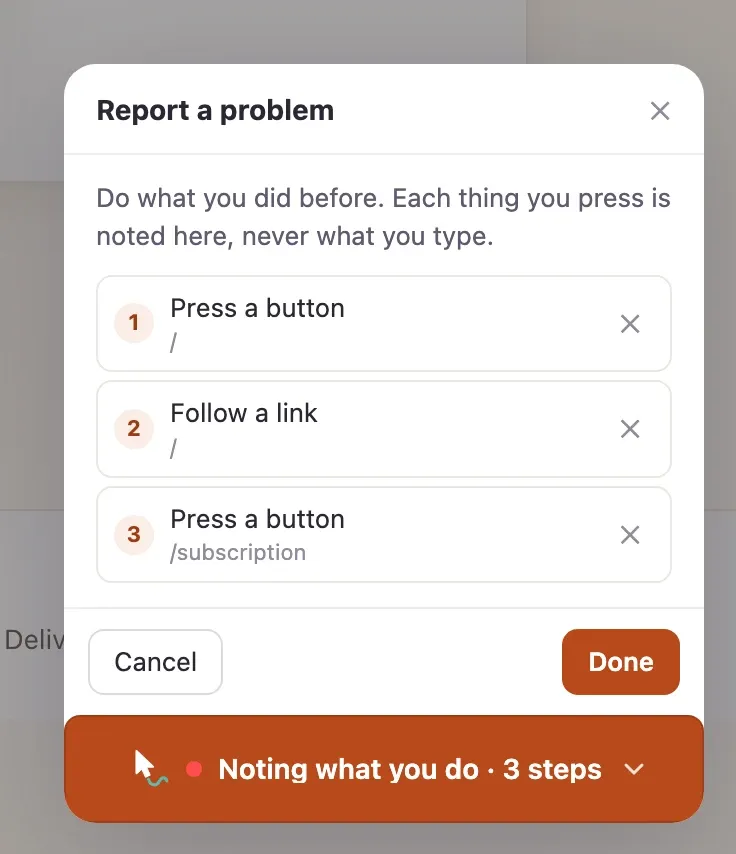
Switch on problem reports and your users can press Report a problem, redo what went wrong, and send it in a sentence. You get the steps they took, on the pages they took them.
Not a screen recording. Nothing is noted before they start or after they stop, nothing they type is read, and every step is masked before they see it, so the list they approve is exactly what you get. Then replay it in your app with the teaching cursor. How it works.
Or just show a colleague
Section titled “Or just show a colleague”Wendmark for Chrome
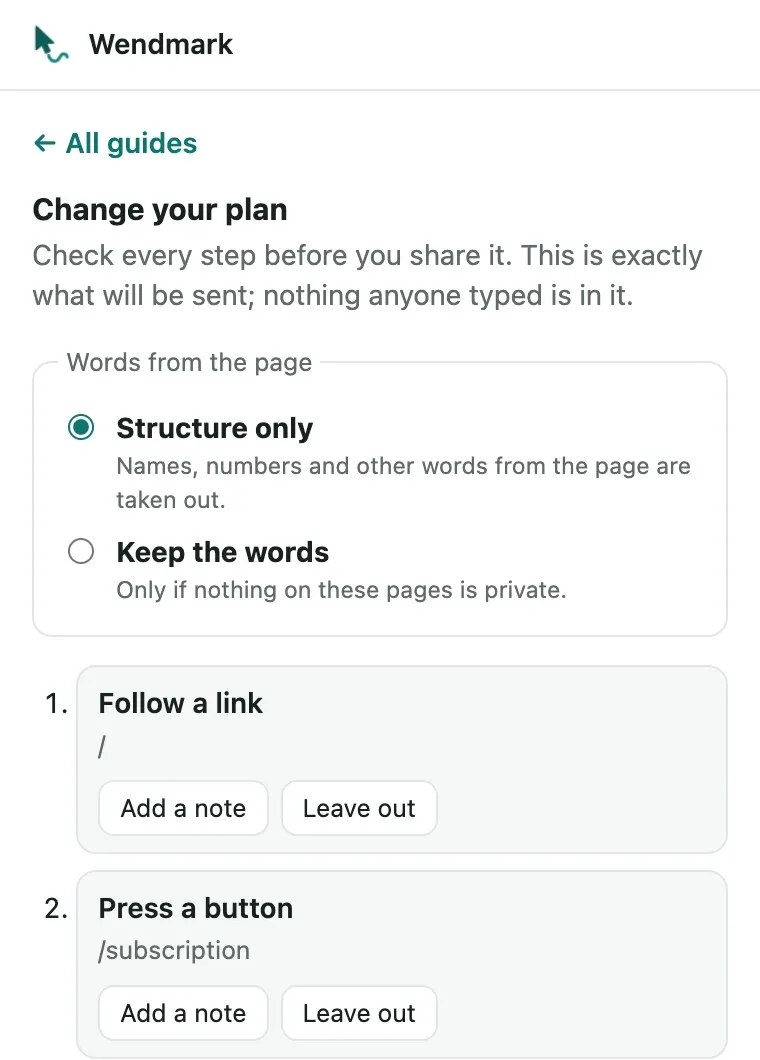
For a tool you cannot add a script tag to, and a process you need to show one person, once: how to reproduce a bug, where a setting lives. Click the Wendmark icon, record the clicks, check what will be shared, and copy a link. Whoever opens it is guided through it in their own account, clicking every step themselves.
No account and no server. Guides stay in your browser, and a shared
guide travels after the # in its link.
Add it to Chrome, or read more.
One script tag
Section titled “One script tag”<script src="https://your-portal.example.com/snippet.js" data-app="wm_…"></script>That is the whole integration. The snippet is 18.8 KB gzipped against a
30 KB budget enforced in CI, renders everything inside a shadow root with
:host { all: initial }, exposes exactly one global, and uses no framework —
so it cannot restyle your pages and your pages cannot restyle it.
Wendmark adds nothing to your interface unless you ask. The launcher button is
off by default; call Wendmark.openLauncher() from your own help menu, or
turn it on in the portal and name it whatever suits your product.
Problem reports are off by default too; Wendmark.reportProblem() offers them
from your own menu once they are on.
Open source, and self-hostable
Section titled “Open source, and self-hostable”Two licences, chosen for where each part ends up running. The snippet is Apache-2.0, because it runs inside other companies’ products and nothing should be asked of their source. The portal is AGPL-3.0, because it is the part someone could host as a service.
There is no contributor licence agreement and none is planned, so what anyone contributes cannot quietly be made proprietary later.
Run it yourself with Docker Compose and a Postgres, or read how it is built.